 wordspace
How it works, step by step
Two apps, one loop: the phone captures, the Mac thinks.
There is nothing to configure. What follows is the whole loop, from a sentence caught standing in the street to the wiki that hands it back to you six months later.
The phone captures
Write or dictate a note and put the phone away. It doesn't ask which folder, it doesn't ask for a title: that question comes later, when you have time. The note reaches the Mac's Inbox by itself, through your iCloud Drive: nothing to copy by hand.
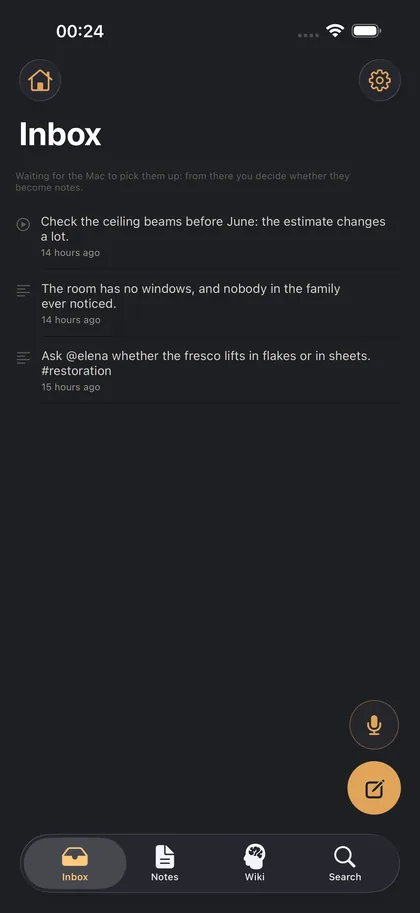
On the Mac everything stops in the Inbox
What comes from the phone, the notes you jot down here and the prompts you take from the wiki all stop in the same place. They don't enter the wiki: they wait for you to look at them.
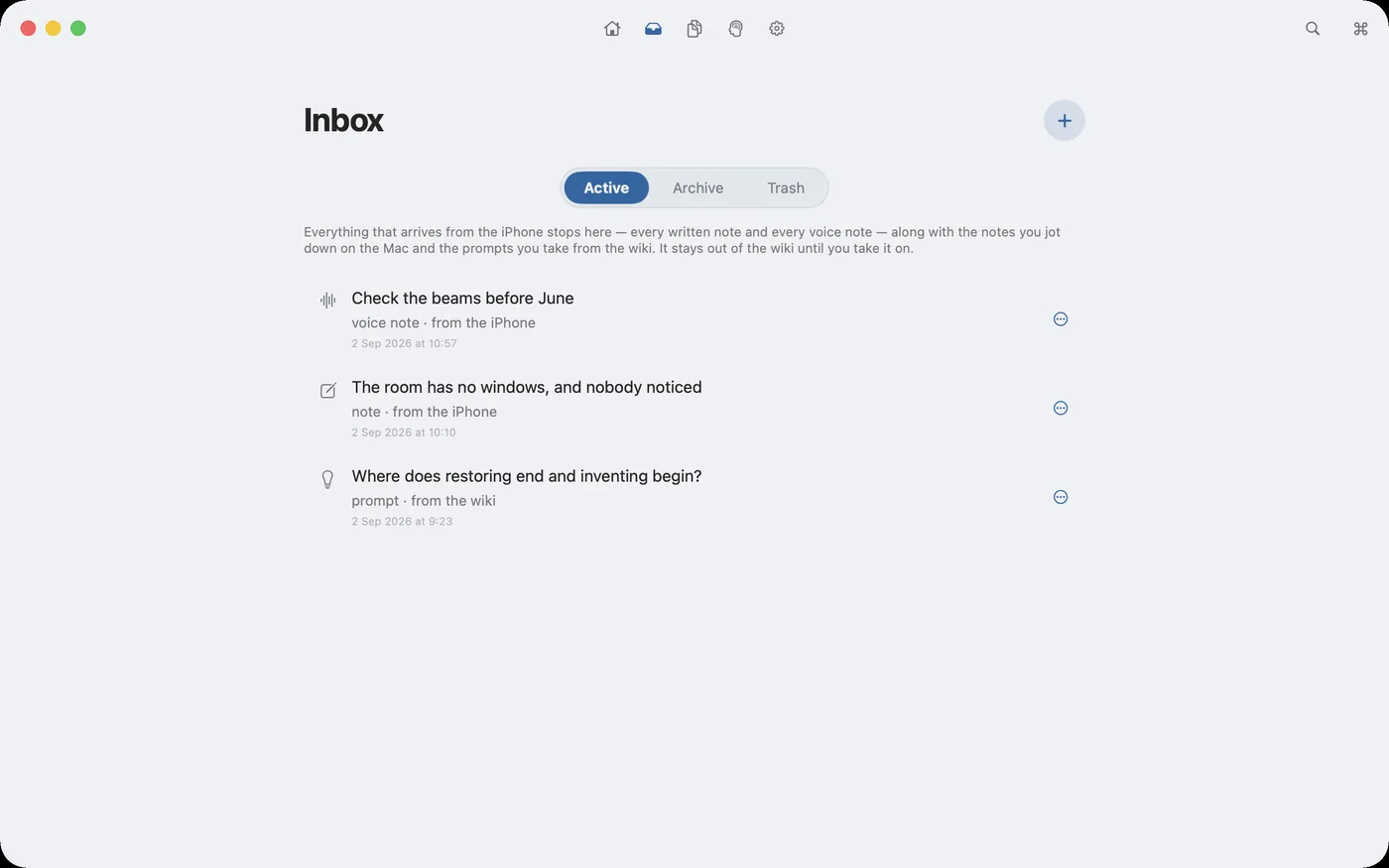
Three decisions, none automatic
For each arrival you decide: make it a note, archive it, or throw it away. Only what you take on enters the wiki — that's the rule that keeps the wiki clean, and nothing bypasses it for you.
One file, three ways in
From the Inbox “+” or the note's toolbar, “Import” asks where a file or a link should go. In the Inbox: it waits with a summary, like a quick note. External source in a note: the text stays in the source card, to consult, and only what you write below it enters the wiki. Internal source in a note: the text becomes yours and the file stays linked; when you edit it in its own app, the note updates when you come back to wordspace, and the card counts the changes it has read. Internal sources work with text files: Markdown, plain text, Word, RTF, OpenDocument. Ten imports a month are free.
You write in Markdown, in blocks
Every paragraph is a block with its own pill: heading, text, list, table, quote. You write Markdown and see formatted text. With the cursor in a paragraph, ⌘1–⌘4 ask the intelligence to correct, rewrite, expand or shorten — and the correction appears INSIDE the text, word by word. You accept it, not it.
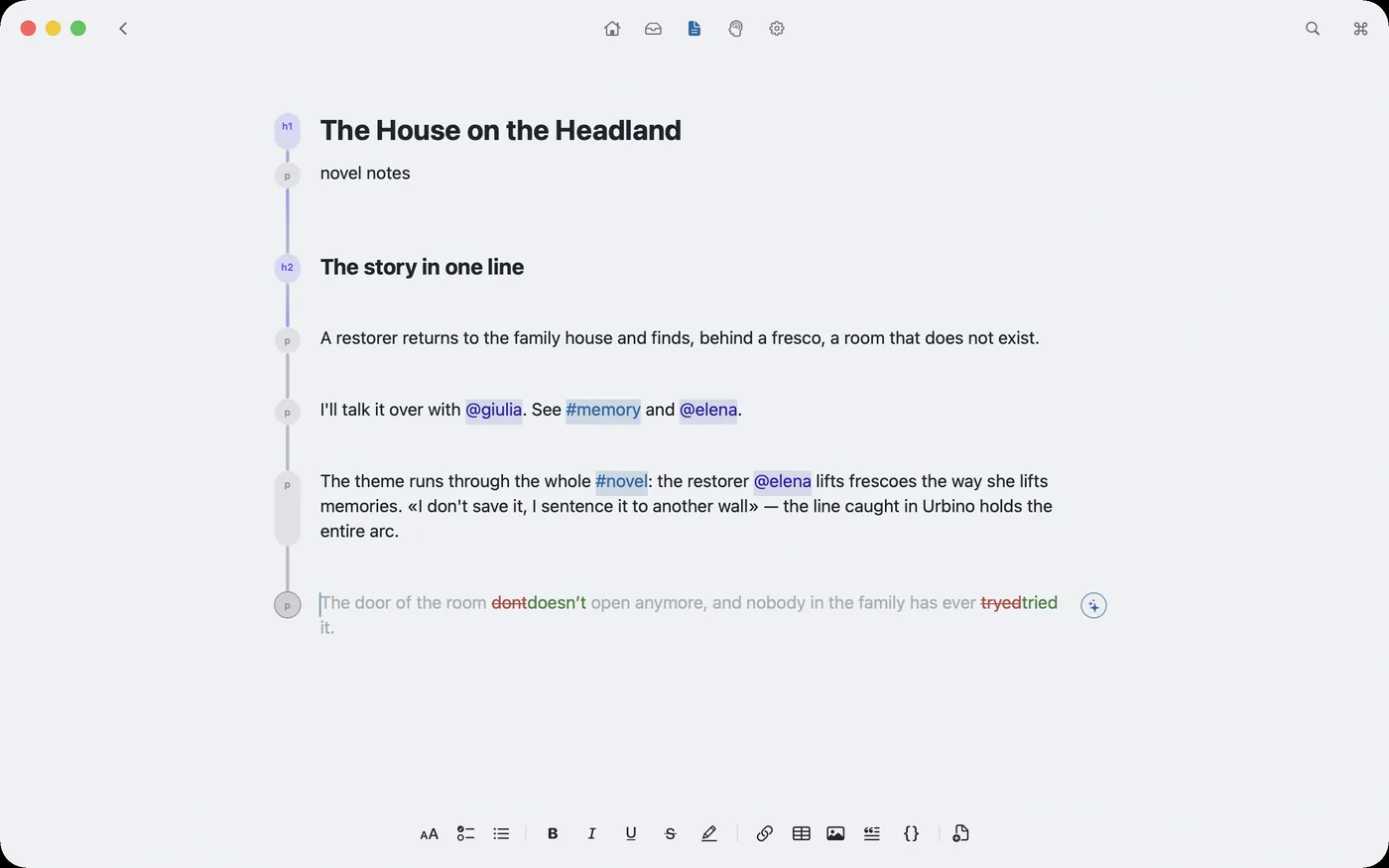
The wiki writes itself
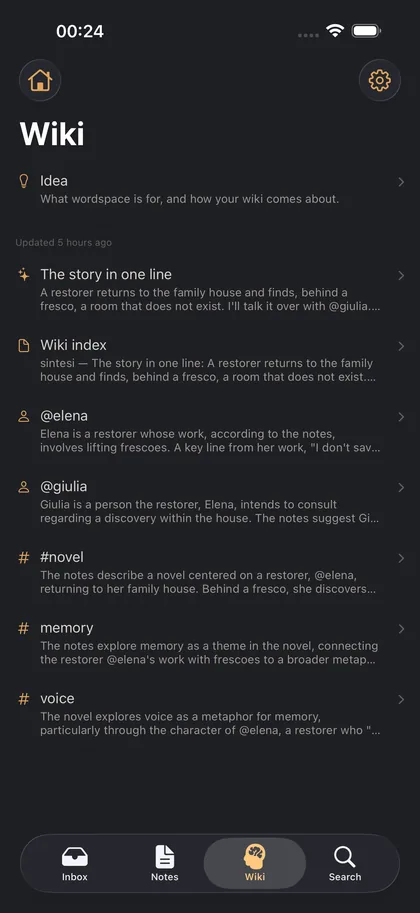
As you write, a model running on your Mac rereads your notes and reorganises them by themes and people: your #tags and @names, and the ones it finds on its own. Every page cites the notes it came from: one click and you're on the original.
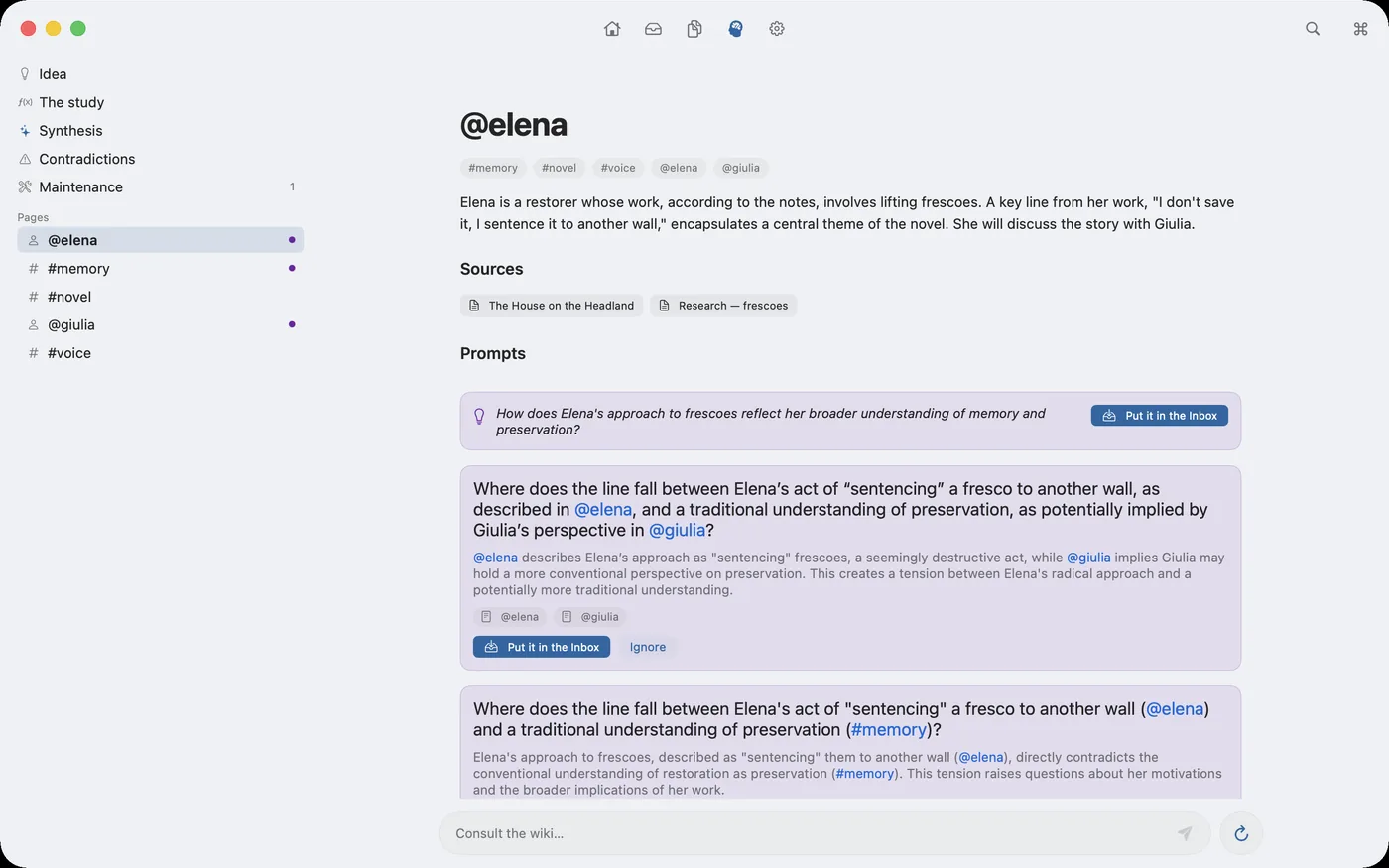
Themes: your documents, by topic
In the Themes area you choose, under “Options”, the folders to read — Word, OpenDocument, RTF, Markdown, plain text — along with the file types and the period, and wordspace groups the documents by theme, comparing the words they use. The folders are remembered after a restart. Each theme can be viewed as text — subthemes, sources, files — or as a cloud, with its documents lit up among all the others: you choose under “View”. With “New theme…” you create one starting from a word (or more) that appears in your documents: one a month in the free version. Themes don't touch your files: only what you bring in with “Import…” enters wordspace.
Searching, and being found
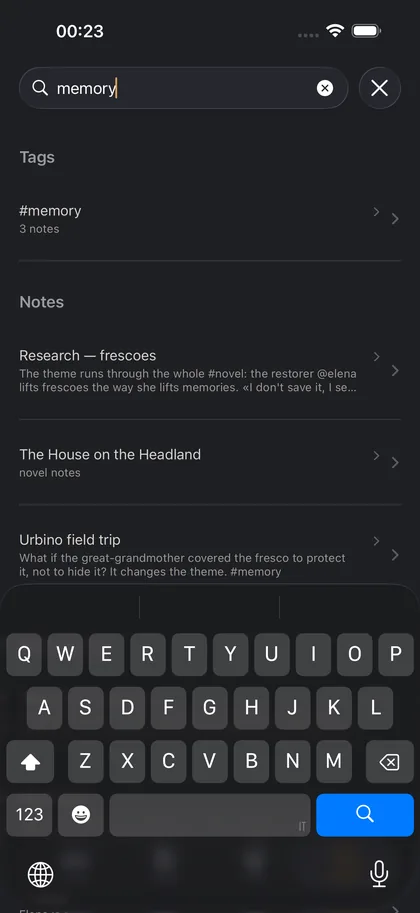
⌘F searches the open note, all the others and the wiki. On the phone the Search tab does the same over what the Mac sent: words, #tags and @people.
And back to the phone
The Mac's notes and wiki reach the phone a few seconds after every change, and can be read offline too. There is a single Inbox: on the phone you also see the Mac's, with active, archive and trash, and on the Mac you see the phone's archive and trash. Everything is edited where it was born — the phone's notes on the phone, the Mac's on the Mac — and that is why there are no conflicts. The iPhone app is made to work together with the Mac one.
What runs, and where
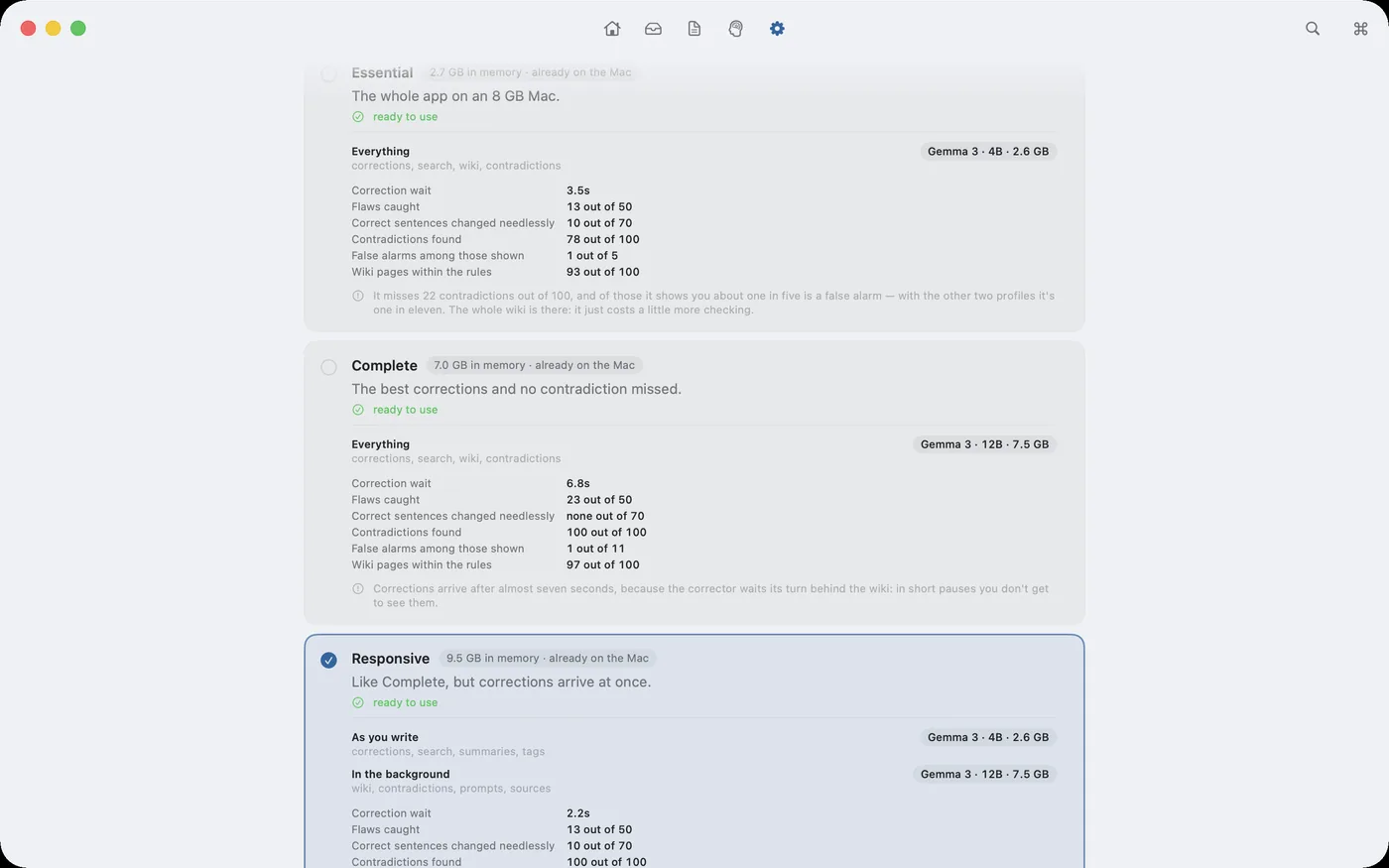
The intelligence is a model that lives on your Mac: your text never leaves the computer to be read by the model, there is no account and no server. You don't pick a model per task — you pick a profile, a configuration tested as a whole, with the measured numbers in front of you.
The loop in one line
Capture without deciding, decide when you have time, write calmly, and the map of what you wrote builds itself.